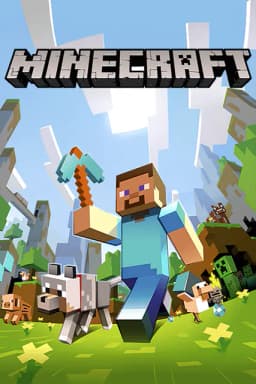
Minecraft: Java & Bedrock Edition
GAME KEYS


Discover Two Ways to Play
VertexBazaar brings you Minecraft: Java & Bedrock Edition for PC, developed by Mojang Studios and published by Microsoft. This package includes both editions through the Minecraft Launcher. Explore block-based worlds, gather resources, craft equipment, build structures and create your own adventures in creative or survival gameplay.
Explore Vast Worlds
Discover forests, deserts, oceans, mountains, caves and villages while collecting materials and uncovering hidden locations. Explore the Overworld, enter the Nether and work towards reaching the mysterious End. Each dimension introduces unique environments, resources and hostile creatures.
Build Anything You Can Imagine
Create homes, castles, farms, cities and underground bases. Creative Mode provides freedom and resources, while Survival Mode challenges you to gather materials and protect yourself. Redstone components let you create mechanisms, automated farms and imaginative contraptions.
Survive, Craft and Fight
Collect wood, stone, ores and food to prepare for danger. Craft tools, armour and weapons, build shelter before nightfall and defend yourself against hostile mobs such as zombies, skeletons and creepers. Mine for valuable resources, improve your equipment and prepare for tougher encounters.
Choose Java or Bedrock Edition
The package includes both PC editions. Java Edition is known for community servers, extensive third-party mods and customization. Bedrock Edition supports cross-platform play with Windows, consoles and mobile devices, plus controller support and Marketplace content. The editions use separate multiplayer networks, so Java and Bedrock players cannot directly join each other's worlds.
Play with Friends
Create shared worlds, join multiplayer servers or use Realms. Java Edition offers community servers and modifications, while Bedrock Edition features featured servers, Marketplace content and add-ons. A Microsoft account is required for PC play. Check that friends use the same edition before joining their world.
Choose the Deluxe Collection
VertexBazaar offers the standard Java & Bedrock PC package and the Java & Bedrock for PC Deluxe Collection. Both provide the combined PC editions. Review the Deluxe package contents and digital extras at checkout before purchasing.
Buy Minecraft: Java & Bedrock Edition from VertexBazaar
Ready to build your own world? VertexBazaar offers the PC package for ৳2,401, with the Deluxe Collection available for ৳2,910. Select your preferred package and check account and activation requirements before ordering. Pay using Wallet, bKash, Nagad, Card, Bangla QR or supported cryptocurrency. After payment, sign in to VertexBazaar and visit My Codes for your purchase details. Gather resources, create extraordinary builds and begin your Minecraft adventure.
How to Top Up
Visit VertexBazaar and open the Minecraft: Java & Bedrock Edition product page.
Select your preferred package:
Minecraft: Java & Bedrock Edition for PC.
Minecraft: Java & Bedrock for PC Deluxe Collection.
Review the selected package and price.
Check the account and activation requirements.
Choose your preferred payment method, such as Wallet, bKash, Nagad, Card, Bangla QR or Cryptocurrency.
Complete the payment.
Wait for your purchase details or activation code.
How to Redeem
Log in to your VertexBazaar account after purchasing Minecraft.
Navigate to the My Codes section.
Find your purchased Minecraft code or account details.
Follow the supplied activation instructions.
Visit the official Minecraft website if your purchase requires Microsoft account redemption.
Sign in with the Microsoft account you intend to use for Minecraft.
Complete the redemption process according to your delivered product type.
Download the Minecraft Launcher.
Install Java Edition or Bedrock Edition.
Launch the game and start exploring your Minecraft world.
Q1:What is Minecraft: Java & Bedrock Edition?
A1:It is a combined PC package that includes Minecraft Java Edition and Bedrock Edition, allowing players to enjoy both versions through the Minecraft Launcher.
Q2:Who developed Minecraft?
A2:Minecraft was originally created by Mojang Studios, which is now part of Microsoft Gaming.
Q3:What is the difference between Java and Bedrock Edition?
A3:Java Edition supports extensive third-party mods and community servers. Bedrock Edition offers cross-platform multiplayer with consoles and mobile devices, controller support and Minecraft Marketplace.
Q4:Can I get both Java and Bedrock Edition with this package?
A4:Yes. The standard PC package listed by VertexBazaar includes both Java and Bedrock editions.
Q5:Can Java and Bedrock players play together?
A5:No. Java and Bedrock use separate multiplayer systems. Players generally need to use the same edition to join each other's worlds and servers.
Q6:Does Minecraft support multiplayer?
A6:Yes. Both editions support multiplayer, community servers and Realms, with different server compatibility.
Q7:Does Minecraft have Survival and Creative modes?
A7:Yes. Survival Mode focuses on gathering resources and surviving threats, while Creative Mode provides freedom to build with unlimited resources.
No reviews yet. Be the first to review!